

Disclosure: some links in this article may be partner links. If you buy through them, we may earn a commission at no extra cost to you. It does not change what we write.
Kit vs Substack is a trade between a percentage and a subscription. Substack is free to publish on and keeps 10% of paid subscription revenue, plus Stripe's fees, and in return gives you an app, recommendations and a reader network. Kit charges a monthly plan once you need automations (its free plan covers up to 10,000 subscribers), takes 3.5% + 30c per sale including card processing, and lets you sell products, run funnels and take sponsors from your own branded setup.
So the honest answer depends on how much you earn and what you sell. Below we work out what you keep on each platform at three revenue levels using November 2026 fees, compare discovery, automation and list ownership, flag the limits on both sides, and give you a two-week test to run before you move your readers. Kit is an affiliate partner of this site; we have tried to give Substack the same scrutiny.
How we compared: based on Kit's official pricing page and plan comparison table, and Substack's help center articles on cost, pricing, welcome emails, recommendations, segments, tags, imports and list export, all checked November 21, 2026, in US dollars. We have not run paid account tests on either platform. Kit is an affiliate partner of aitoolzhub.com; that does not change the figures below. Fee examples are estimates for US cards and monthly payments; your mix of annual plans and card countries will change them.
Kit vs Substack: the short answer
| Kit | Substack | |
|---|---|---|
| How you pay | Monthly or yearly plan by subscriber count; free up to 10,000 subscribers | Free to publish at any list size; 10% of paid subscription revenue |
| Payment fees | 3.5% + 30c per sale, card processing included | Stripe 2.9% + $0.30 per US card payment, plus 0.7% Stripe Billing on recurring payments |
| What you can sell | Paid newsletters, digital products, recurring memberships, tip jars | Paid subscriptions (minimum $5/month or $30/year), founding member tier |
| Ads and sponsors | Newsletter sponsorships and Paid Recommendations (Creator and Pro) | Substack says it builds no functionality for ads or affiliate links |
| Discovery | Free and Smart Recommendations through the Kit creator network | Substack app, Notes, recommendations between publications |
| Automation | Unlimited visual automations and sequences from Creator | Welcome emails by subscriber type, tags and segments, optional Boost upsell email |
| Custom domain | Included on every plan | One-time $50 |
If you only remember one thing: Substack costs nothing until you earn, and then costs more the more you earn. Kit costs a fixed plan price that grows with your list, so the more revenue each subscriber brings, the better Kit looks.
How much does Substack charge? Substack fees vs Kit pricing
Substack fees (November 2026)
- Publishing is free, however many subscribers you have.
- When you turn on paid subscriptions, Substack keeps 10% of each subscription payment.
- Stripe charges 2.9% + $0.30 per payment on US cards and 0.7% for Stripe Billing on recurring payments. Local payment methods have their own Stripe fees by country.
- A custom domain is an optional one-time $50.
- Subscriptions bought in the Substack iOS app may cost readers more to cover Apple's fees; Substack's 10% is based on your web price, and you choose whether in-app prices go up.
- The minimum price is $5 a month or $30 a year.
Kit pricing (November 2026, monthly billing)
| Subscribers | Kit Free | Kit Creator | Kit Pro |
|---|---|---|---|
| 1,000 | $0 | $39 | $79 |
| 3,000 | $0 | $59 | $99 |
| 5,000 | $0 | $89 | $139 |
| 10,000 | $0 | $139 | $189 |
| 20,000 | Not available | $189 | $269 |
| 50,000 | Not available | $319 at 45,000, $379 at 55,000 | $447 at 45,000 |
Kit says paying yearly saves 17%. Until December 1, Kit is also running a Black Friday offer of 50% off the first 3 months of the monthly Creator plan, for accounts up to 500,000 subscribers. On every Kit plan, sales of products and subscriptions cost 3.5% + 30c, inclusive of card processing. Check Kit pricing and Substack's cost page before deciding.
What you keep on Kit vs Substack at three revenue levels
Estimates for monthly subscriptions paid with US cards, using the fees above. Kit's plan tier is set by your total subscribers (free and paid).
| Scenario | Substack total cost | Kit Free total cost | Kit Creator total cost |
|---|---|---|---|
| 2,000 subscribers, 50 paying $8 ($400/month) | About $69 (keep about $331) | About $29 (keep $371) | About $88 with the $59 plan (keep about $312) |
| 5,000 subscribers, 200 paying $10 ($2,000/month) | About $332 (keep about $1,668) | About $130 (keep about $1,870) | About $219 with the $89 plan (keep about $1,781) |
| 20,000 subscribers, 1,000 paying $10 ($10,000/month) | About $1,660 (keep about $8,340) | Not available above 10,000 | About $839 with the $189 plan (keep about $9,161) |
How the Substack numbers break down at $2,000: 10% is $200, Stripe card fees are $58 + $60 (200 payments at $0.30), and Stripe Billing is $14. On Kit, 3.5% + 30c on 200 payments is $70 + $60 = $130.
Three takeaways:
- Kit Free beats Substack on fees at every size up to 10,000 subscribers, as long as you can live without automations and sequences.
- Kit Creator is slightly more expensive than Substack only when paid revenue is small, like the first scenario. Once paid revenue reaches the low thousands per month, Kit Creator leaves more in your pocket.
- At $10,000 a month the gap is about $820 a month, close to $10,000 a year. That is the number to weigh against Substack's discovery.
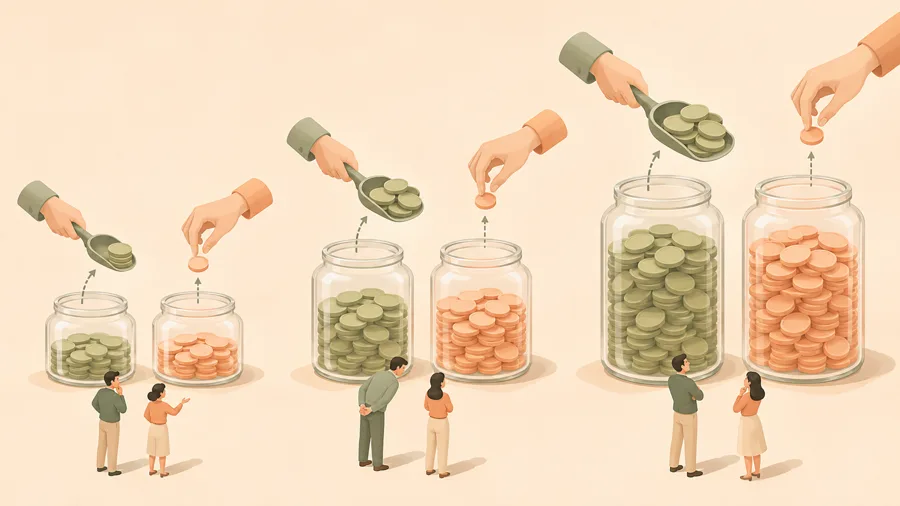
Discovery vs ownership: where new readers come from
Substack's network
Substack's case is distribution. Readers find publications in the Substack app and through Notes, and publications can recommend each other: new subscribers may see up to 3 of your recommendations right after signing up, recommendations appear on your homepage sidebar and recommendations page, and Substack sends occasional digest emails featuring publications you recommend. For a writer starting from zero, that network can matter more than any fee.
Kit's network
Kit offers Free Recommendations and Smart Recommendations on every plan, which promote your newsletter across other Kit creators' signup forms. On Creator and Pro you can also earn through Paid Recommendations (Kit's fee is 23.5% of those earnings) and newsletter sponsorships, where Kit matches you with brands and you approve every ad. Kit Pro adds a newsletter referral system through a free SparkLoop plan.
Ads and affiliate income
This is a real fork for creators who monetize with sponsors. Substack's help center says it is focused on subscriptions and builds no additional functionality for affiliate links or advertising, and its content guidelines do not permit publications set up only to advertise external products or distribute offers. Kit treats sponsorships as a feature. If brand deals or affiliate links are a large share of your income, Kit fits that model better; for a broader look at email tools that monetize, see our Kit vs Brevo comparison.
Automation, segments and selling more than subscriptions
- Funnels. Kit Creator includes unlimited visual automations and email sequences, so you can tag readers by what they downloaded, send a five-email course and pitch a product at the end. Substack's help center documents welcome emails for four subscriber types (free, paid, imported and founding) rather than a sequence builder.
- Segments and tags. Both platforms now support private subscriber tags and dynamic segments. Substack segments can filter by signup date, activity, paid status, country and tags, and you can send to a segment. Kit has tagging and segmentation on every plan, plus conditional content with Liquid.
- Upsells. Substack's optional Boost feature has Substack show discounts, trials and an automated upsell email to engaged free readers on your behalf. Kit leaves upsells to your own automations and adds abandoned checkout recovery for Shopify, Fourthwall and Wix on Creator and Pro.
- Other products. Kit sells digital products, recurring memberships (coaching, community access) and tip jars on every plan. Substack centers on paid subscriptions to the publication itself. If you plan to sell a course next year, pair either one with a course tool; our Thinkific review covers that path.
Owning your list: export, imports, domain and branding
- Substack export. Substack says you always own your readers' email addresses, including readers who subscribe in the app, and you can export your subscriber list as a CSV at any time. Its help center notes it is not currently possible to export subscriber full names.
- Substack imports. Substack reviews imported lists for opt-in quality and may flag lists that contain people who did not explicitly opt in. Plan time for review if you bring a large list.
- Kit migration. Kit lists free migration from another platform on Creator and Pro, with its team rebuilding forms, templates and automations.
- Domain and branding. Kit includes a custom domain on every plan and lets Creator and Pro remove Kit branding from landing pages, emails and product pages. Substack's custom domain is a one-time $50, and your publication lives inside Substack's look and app.
- Payments. Substack paid subscriptions run through Stripe. Ask how your paid subscribers would move before you commit to either platform, since moving recurring payments is harder than moving email addresses.
Kit or Substack: which creator should pick which
| Creator type | Better fit | Why |
|---|---|---|
| Writer starting from zero who wants readers more than revenue | Substack | Free, app discovery, recommendations network |
| Newsletter under 10,000 subscribers with a paid tier | Kit Free | Lower fees than Substack and no plan cost |
| Creator earning from sponsors or affiliate links | Kit | Sponsorships built in; Substack does not support ads or affiliate features |
| YouTuber or podcaster selling templates, presets or coaching | Kit Creator | Sequences plus products and memberships |
| Paid newsletter earning several thousand dollars a month | Kit on cost | Fixed plan price instead of 10% of revenue |
| Essayist who values community features and in-app reading | Substack | Notes, Chat and the app are the product |
Weighing beehiiv as a third option? It sits between the two: a subscription-priced platform with its own ad network. Price it at your size on its own pricing page before deciding. For Kit on its own, read our Kit review.
Limits and risks on each side
Substack
- The 10% cut scales with success; at $10,000 a month it is $1,000 before Stripe.
- No built-in support for ads or affiliate links, and guidelines restrict promotion-only publications.
- No sequence builder documented; welcome emails are the main automation.
- Exports do not include subscriber names, and imports may be reviewed.
- Readers who pay in the iOS app may pay more if you raise in-app prices.
Kit
- No automations or sequences on Free, and a monthly cost once you need them.
- No reader app or social feed; you bring your own traffic, helped by Kit's recommendations.
- Product and subscription sales cost 3.5% + 30c; Paid Recommendations carry a 23.5% fee.
- When you pass a tier, Kit upgrades your plan automatically; downgrades after a list cleanup have to be requested by email.
A two-week test before you move your readers
A small pilot you can run on Substack's free setup and Kit's free plan or 14-day trial (no card):
- Days 1-2: Write down your subscribers, paying readers, average price and income sources (paid tier, sponsors, products, affiliates). Fill in the three-scenario table above with your own numbers for 12 months from now.
- Days 3-5: Set up both. On Substack, write the free and paid welcome emails and add three recommendations. On Kit, build a signup page and a three-email sequence that ends with an offer.
- Days 6-10: Send the same issue to a small engaged segment on each. Compare opens, clicks, replies and how many new signups each platform's network brought in.
- Days 11-14: Test the money path: a paid tier on both, plus one digital product or sponsor slot on Kit. Note the fee on a test payment and how much setup it took.
Choose the platform that matches the income mix you expect next year, not the one that feels easiest this week.
Final verdict
Substack is the better start for a writer who needs readers more than revenue: it costs nothing until you earn and its app and recommendations can bring an audience. Kit is the better business tool once you earn: Kit Free charges lower fees than Substack up to 10,000 subscribers, Kit Creator keeps more of your money once paid revenue reaches the low thousands a month, and Kit supports sponsors, products and funnels that Substack does not focus on. Run your own numbers through the table, test both for two weeks, and pick the one that fits how you plan to earn.
Verdict
Substack trades a 10% revenue share for distribution, which suits writers building an audience from zero. Kit trades a plan fee for lower per-sale costs, automations and sponsor and product income, which suits creators running a newsletter as a business. The more each subscriber earns you, the stronger Kit's case.
Best for
- Substack: new writers who want app discovery and pay nothing until they earn
- Kit: creators earning from sponsors, products or memberships alongside a newsletter
- Kit Free: paid newsletters under 10,000 subscribers that want lower fees
Look elsewhere if
- Substack: creators relying on sponsorships or affiliate links
- Substack: high-revenue paid newsletters that mind a 10% cut
- Kit: writers who want a built-in reader app and social feed
Frequently asked questions
Is Substack free for writers?
Yes, publishing on Substack is free at any subscriber count. If you turn on paid subscriptions, Substack keeps 10% of subscription revenue and Stripe charges its processing fees (2.9% + $0.30 per US card payment plus 0.7% Billing on recurring payments, as of November 2026).
How much does Substack charge compared with Kit?
On $2,000 a month from 200 readers paying $10, Substack costs about $332 in total fees. Kit Free costs about $130 (3.5% + 30c per sale), and Kit Creator at 5,000 subscribers about $219 including the $89 plan.
ConvertKit vs Substack: is ConvertKit the same as Kit?
Yes. Kit is the new name of ConvertKit, so ConvertKit vs Substack comparisons describe the same product.
Can I move my list from Substack to Kit?
Yes. Substack lets you export your subscriber list as a CSV at any time (without full names), and Kit lists free migration from another platform on its Creator and Pro plans. Plan the move of paid subscribers separately.
Kit vs Substack vs beehiiv: which should I choose?
Substack suits writers who want free publishing and app discovery, Kit suits creators selling products or sponsorships with automated funnels, and beehiiv is a subscription-priced newsletter platform with its own ad network. Price each at your list size before choosing.
Can I run ads or affiliate links on Substack?
Substack's help center says it builds no functionality for affiliate links or advertising and does not permit publications set up only to advertise external products. Kit offers newsletter sponsorships on its Creator and Pro plans.