

Disclosure: some links in this article may be partner links. If you buy through them, we may earn a commission at no extra cost to you. It does not change what we write.
This Manychat review is for creators who get more comments and DMs than they can answer and want to turn that attention into email signups, link clicks and sales. Short answer: Manychat is worth it if comments and DMs are already a real traffic source for you; it is not worth paying for if you rarely get messages, because automation multiplies engagement rather than creating it.
Manychat automates conversations on Instagram, Facebook Messenger, WhatsApp, TikTok, Telegram, SMS and email. Below we explain how its pricing works (it is based on active contacts, not followers), what each plan includes as of November 2026, the Meta messaging rules you need to respect, and a two-week pilot you can run on the free plan or trial.
How we reviewed: based on Manychat's official pricing page and FAQ, plus Meta's Messenger Platform policy overview, checked November 2026. We have not run a paid account test; the pilot plan is for you to run on your own account.
Manychat review in brief: what it automates
Manychat describes itself as an Instagram automation platform and an official Meta Business Partner, and says it works as a partner with TikTok. In practice, creators use it for a handful of repeatable flows:
- Comment to DM. Someone comments a keyword under a post or reel, and Manychat sends them a DM with the link, freebie or discount.
- Keyword replies in DMs. Common questions (price, link, booking) get an instant answer, with an option to hand over to you.
- Email and phone capture. The conversation asks for an email address, which you can then send to your email platform.
- Follow-up and broadcasts to people who opted in, within the platform’s messaging rules (Pro and above for broadcasting).
- AI-assisted conversations. Manychat AI is included on Pro and above, according to the pricing page.
For a creator monetizing content, the main value is speed: the reader who comments at midnight gets the link while they are still interested, rather than the next afternoon.
Manychat pricing as of November 2026
Manychat prices plans by active contacts: a real person you interact with during a monthly billing period, counted once no matter how many messages you exchange. A contact counts as active when messages are sent or received through Manychat, via automations, AI, broadcasts or the inbox. Followers who never message you do not count.
| Plan | Billed monthly | Billed annually | Active contacts / month | Channels | Users |
|---|---|---|---|---|---|
| Free | $0 | $0 | 25 | 2 | 1 |
| Essential | $17/mo | $14/mo ($168/yr) | 250 | 2 | 2 |
| Pro | $39/mo | $29/mo ($348/yr) | 2,500 | 3 | 3 |
| Business | $99/mo | $69/mo ($828/yr) | 7,500 | Unlimited | 5 |
| Advanced | $199/mo | $139/mo ($1,668/yr) | 25,000 | Unlimited | 10 |
Prices are from the official Manychat pricing page. They exclude tax, and Manychat says the price is determined by your billing country, so confirm the final amount at checkout.
What each plan adds:
- Free: automation builder and templates with up to 4 live triggers, basic inbox, Manychat branding.
- Essential: custom and unlimited automations, inbox organizer and scheduled messages, email support, no Manychat branding.
- Pro: advanced automations, broadcasting and AI-powered conversations, Inbox AI and Manychat AI.
- Business and Advanced: all channels, a multi-user inbox, automation insights and recommendations, and priority support.
Is Manychat free? Yes, there is a free plan with no credit card required, but 25 active contacts a month and 4 live triggers is a testing allowance, not a working setup for a creator with a real audience.
Overage fees: the part of the bill that surprises people
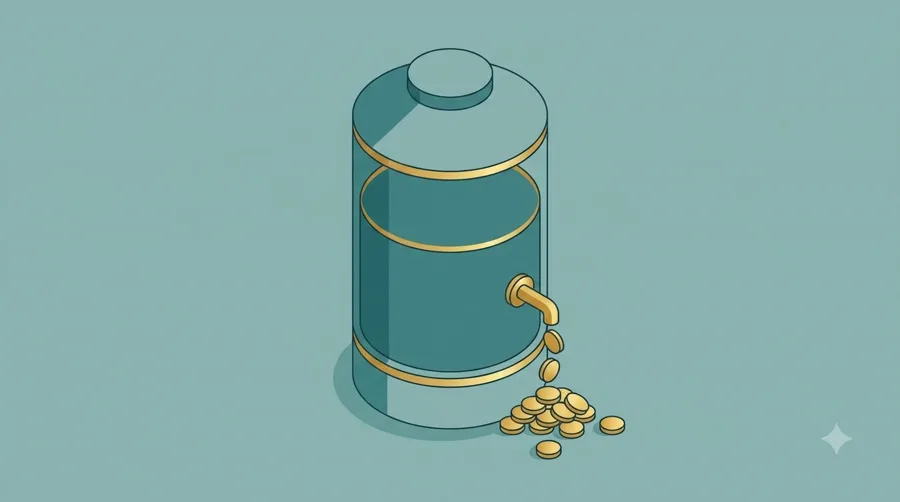
If you go over your plan’s active contacts, automations keep running and Manychat charges per extra contact. The pricing page lists:
| Plan | Per extra active contact (monthly plan) | Per extra active contact (annual plan) |
|---|---|---|
| Essential | $0.10 | $0.082 |
| Pro | $0.05 | $0.038 |
| Business | $0.025 | $0.018 |
| Advanced | $0.004 | $0.0028 |
A worked example on Essential (monthly billing): a reel goes viral and 1,250 people comment your keyword. That is 1,000 contacts over the 250 included, or $100 in overage on top of the $17 plan. On Pro, the same month is within the 2,500 included.
Manychat’s FAQ also notes that on annual plans, active contacts and overages are still calculated and billed monthly; that you will get email and in-app warnings as you approach the limit; that you can set an overage threshold; and that if you upgrade within the same billing cycle, overage fees incurred so far are forgiven.
How to avoid overpaying:
- Set an overage threshold on day one, especially before a launch or giveaway.
- Pick the plan that covers your busiest month, not your average month, if you post reels that can spike.
- If a spike happens on a small plan, upgrade within the same billing cycle so overage is forgiven.
- Use annual billing only after a few months of data. Annual plans cannot be downgraded until the term ends, and you cannot switch from annual to monthly mid-term.
Is Manychat safe for Instagram? Meta's messaging rules
Manychat states it is an official Meta Business Partner, which means it works with Meta as a recognized partner rather than through unofficial workarounds. That answers the common question is Manychat Meta approved. Being approved does not mean anything goes, though. Your automations still have to follow Meta’s platform policies and Instagram’s community rules.
The key rule to understand is the messaging window. Meta’s Messenger Platform policy describes a standard messaging window that, for most user actions, lasts 24 hours after a person’s message; for a first message after a click-to-Messenger or click-to-Direct ad, it may last up to 7 days. Outside the window, businesses can only send messages for approved use cases (message tags), and a Human Agent tag allows manual replies within a separate 7-day period. Instagram messaging is governed by Meta’s policies for that product; check Meta’s current documentation and Manychat’s help center for the exact rules on each channel.
Practical guardrails for creators:
- Only message people who started the conversation, by commenting a keyword or sending a DM.
- Say what they will get (a link, a guide, a discount) and deliver it in the first reply.
- Do not use automation to send unrequested promotions or to imitate a personal reply you never wrote.
- Give people an easy way to stop messages and to reach a human.
- Keep comment-reply wording varied and relevant so it does not read as spam to your audience.
Which Manychat plan fits your creator stage
| Your situation | Plan | Why |
|---|---|---|
| Testing one comment-to-DM flow | Free | 25 active contacts and 4 live triggers is enough to see if it works |
| Small account with steady, low DM volume | Essential | 250 active contacts, unlimited automations, no branding |
| Regular reels with keyword CTAs, list building, broadcasts | Pro | 2,500 active contacts, broadcasting, Manychat AI, 3 channels |
| Creator business with a small team answering DMs | Business | 7,500 active contacts, multi-user inbox, all channels |
| High-volume brand or creator with frequent viral posts | Advanced | 25,000 active contacts and the lowest overage rate |
For most monetizing creators, Pro is the realistic starting plan. The jump from 250 to 2,500 active contacts covers a reel that performs well, and broadcasting lets you follow up with people who opted in.
Limits and risks
- Spikes cost money. Viral posts on a small plan create overage. Set thresholds.
- Platform dependency. Your flows depend on Meta’s and TikTok’s APIs and policies, which can change. Move contacts to email so you are not only reachable through DMs.
- Automation can feel cold. Over-automated replies can hurt trust. Keep a human handover for questions the flow cannot answer.
- Channel caps. Free and Essential connect up to 2 channels, Pro up to 3. If you want Instagram, TikTok, WhatsApp and email together, that is Business or above.
- Annual lock-in. Annual plans cannot be downgraded until the term ends. Manychat’s FAQ says refunds are possible if you cancel within 30 days of buying a plan, so test early.
Manychat alternatives worth a look
Searches for manychat vs linkdm, manychat vs chatfuel and manychat vs stan store show what creators compare. They solve different jobs:
- Simpler Instagram DM tools (such as LinkDM) focus narrowly on comment-to-DM link delivery. Consider them if that is the only flow you need.
- Other chatbot builders (such as Chatfuel) overlap on Messenger and WhatsApp automation; compare channel support and pricing at your volume.
- Creator storefronts (such as Stan Store) sell the product; Manychat delivers the link in DMs. Many creators use both.
- Meta Business Suite is Meta’s own free tool for managing messages; check what it offers natively before paying, since it may be enough at low volume.
Check each tool’s official pricing and policies before switching. For the email side of the funnel, our Kit review covers a creator email platform you can send Manychat signups to.
A two-week Manychat pilot
- Days 1–2: pick one offer. A free guide, a discount code or a product link that already converts from your bio.
- Days 3–4: build one comment-to-DM flow on the Free plan: keyword trigger, a short reply, the link, and an optional email question.
- Days 5–9: post twice with the keyword CTA (one reel, one carousel). Count comments, DMs sent, link clicks and emails captured.
- Day 10: check active contacts. If you are near 25, start the 14-day trial of Essential or Pro so the flow keeps running without overage surprises.
- Days 11–14: compare. Clicks and signups per post versus your usual link-in-bio results. If automated DMs clearly beat the bio link, pick the plan that covers your busiest expected month.
If you are budgeting several creator tools at once, our creator AI stack budgeting guide helps you compare them in one sheet.
Is Manychat worth it? Verdict
Manychat is worth it for creators whose comments and DMs already carry buying intent: people asking for links, prices or the freebie. Pro is the practical plan for most of them, with 2,500 active contacts, broadcasting and Manychat AI at $39 a month (or $29 billed annually). It is not worth it for accounts with little message volume; fix the content and the call to action first, then automate.
Whatever plan you choose, follow Meta’s messaging rules, set an overage threshold and move engaged contacts to email.
Verdict
Manychat turns comments and DMs into fast, consistent replies, link clicks and signups. Test one comment-to-DM flow on the free plan, choose a plan by your busiest month's active contacts, and stay within Meta's messaging rules.
Best for
- Creators who use keyword CTAs on reels and posts to deliver links or freebies
- Creators building an email list from Instagram, TikTok or Messenger conversations
- Small creator teams sharing a DM inbox (Business plan)
Look elsewhere if
- Accounts with few comments or DMs
- Anyone wanting to send unrequested promotional DMs
- Creators unwilling to monitor active contacts and overage
Frequently asked questions
Is Manychat free?
Yes. Manychat has a free plan with 25 active contacts a month, 2 channels, up to 4 live triggers, 1 user and Manychat branding, as of November 2026. No credit card is required. Essential and Pro also offer a 14-day free trial.
Is Manychat safe for Instagram?
Manychat states it is an official Meta Business Partner, so it uses approved messaging tools. It is safe when you follow Meta's rules: message people who contacted you first, respect the messaging window and avoid unrequested promotions.
How much does Manychat cost per month?
Essential is $17/month ($14 billed annually), Pro $39 ($29), Business $99 ($69) and Advanced $199 ($139), each with an included number of active contacts. Overage is charged per extra active contact. Prices exclude tax and vary by billing country.
What is an active contact in Manychat?
A real person you interact with during a monthly billing period through messages or automations. One person counts once per month, regardless of how many messages you exchange.
Is Manychat worth it?
It is worth it if comments and DMs already drive interest in your links or products. If you get few messages, improve your content and calls to action before paying for automation.
Is Manychat AI included?
Manychat AI is listed on the Pro, Business and Advanced plans on the pricing page as of November 2026.
Related reading
- Kit Review: Weighing a Creator Email Plan as Your List Grows
- Unbounce Review: A Separate Landing Page Plan for Launches?
- Gorgias Review: When a Creator Store Outgrows Its Inbox
- How to Budget for an AI Stack for Creators comparing their next software subscription
- A Buyer’s Checklist for Creative production AI Tools